

Your team'spipeline, explained
Forecast by rep against quota, stalled deals with the reason, and requests from your team, from the same data your reps work in.
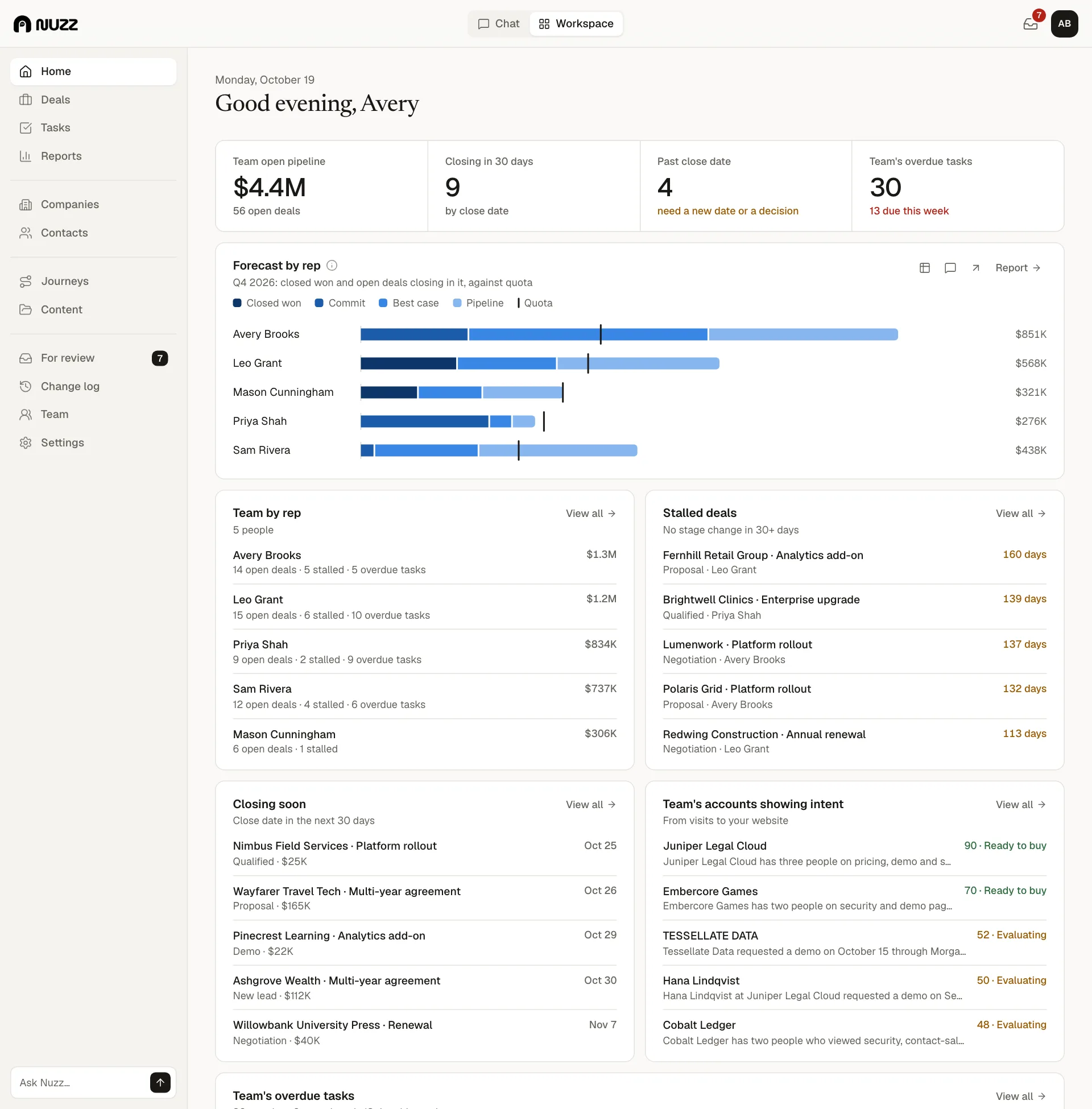
Run the Friday review without building the report on Thursday night.
Nuzz keeps the forecast current from the CRM: what's committed, what's slipping and why. Ask about any rep, deal or segment and get the answer with the numbers behind it.
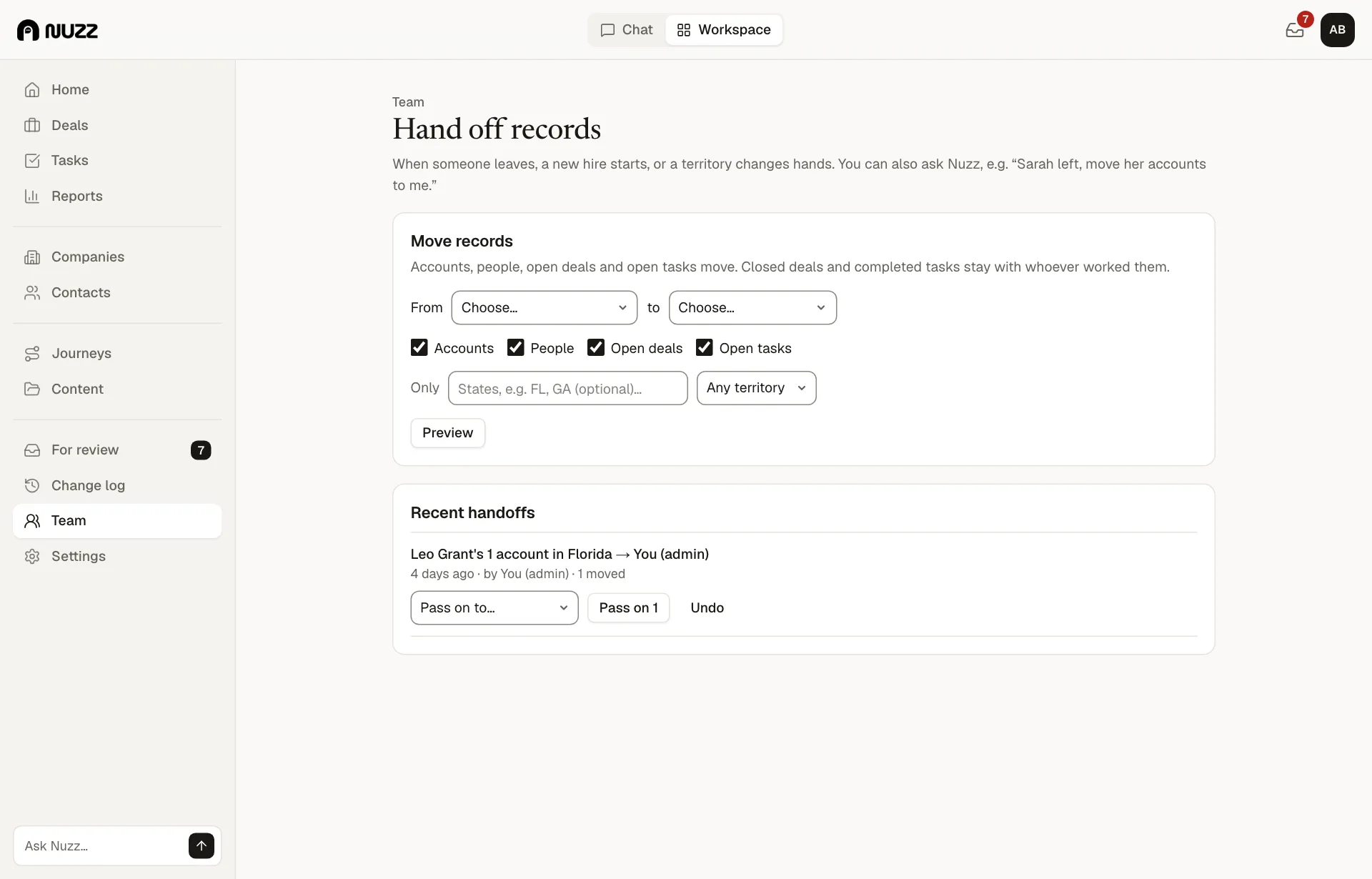
When a rep needs something only you can do, like taking over an account, it arrives as a request with the context attached.
How the week goes
An example week for sales managers, with Nuzz doing the groundwork.
Monday
- Forecast by rep against quota8:00
- 4 deals past their close date, with reasons8:01
Midweek
- Request: Maya to take over Lumenwork10:40
- Accounts handed over while Leo is out14:10
Friday
- Pipeline review, answered in the chat9:00
- Coaching notes for each rep9:20
Review ready, no spreadsheetFriday 9:00
What you get
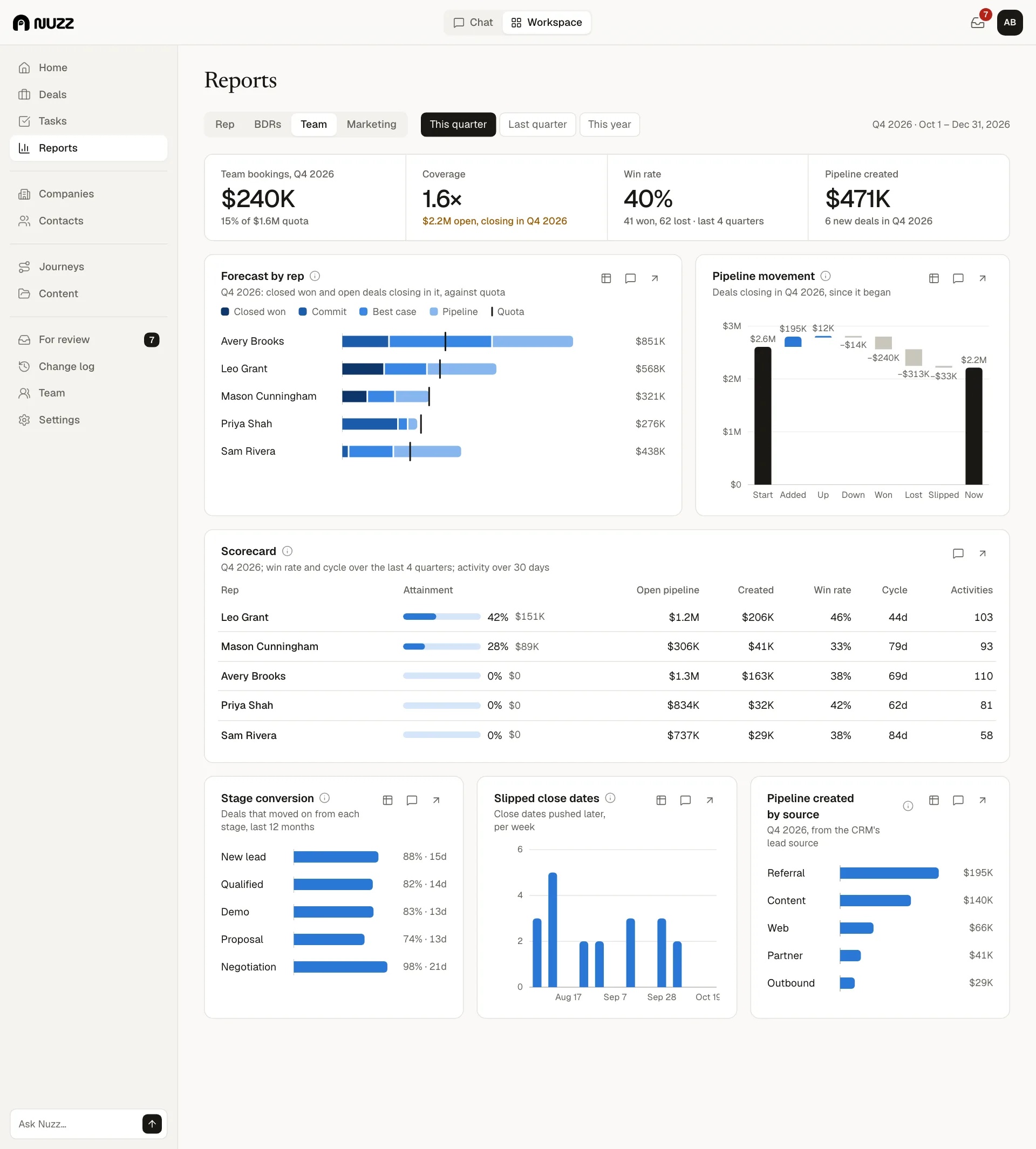
- Team dashboardPipeline, forecast against quota, overdue work
- ReportsForecast, pipeline, activity, win rates by rep
 Approvals and requestsWhat your team proposes, waiting for you
- HandoffsMove accounts and deals between reps in one step
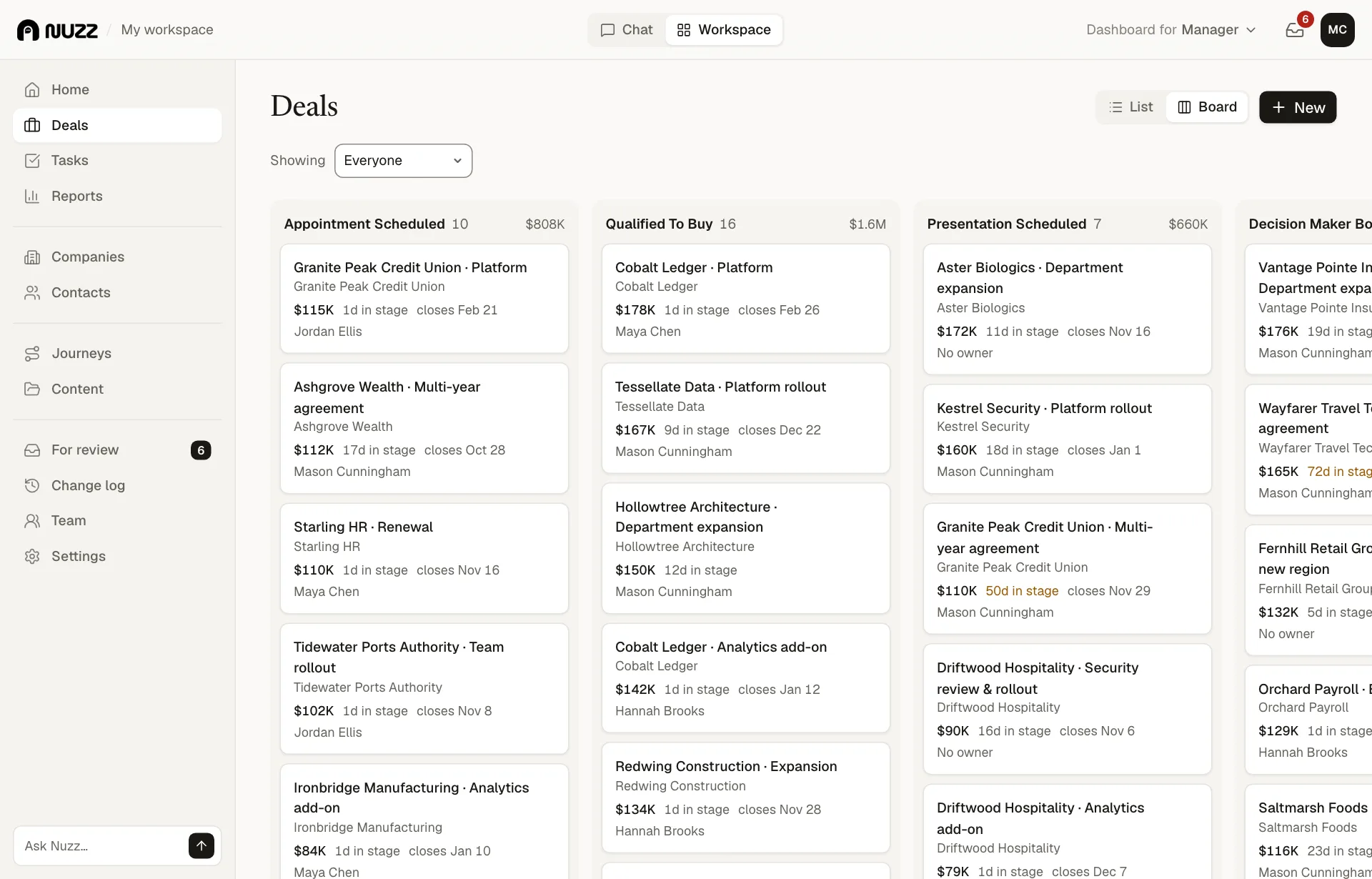
- BoardEvery deal by stage, drag to move
Ask it like a colleague
- Which deals in this quarter's forecast are at risk?
- Why is Maya's pipeline down this month?
- Hand Leo's open deals to Hannah until Monday
- Who on the team has the most overdue tasks?
Try it on your own pipeline: 14 days, everything on, no card.